Blue Team Labs Online - Banker

You’ve encountered a user's machine which was compromised by Cridex Ransomware from a phishing email.
Incident Response
Tags: Volatility2 Linux CLI T1566.002
Scenario You’ve encountered a user's machine which was compromised by Cridex Ransomware from a phishing email. This is a notoriously older banking trojan that can create backdoors on their targets in order to steal financial information.
You’ve been tasked to run a basic forensic investigation on the memory dump from the machine.
Environment Awareness
Evidence & Tool Discovery
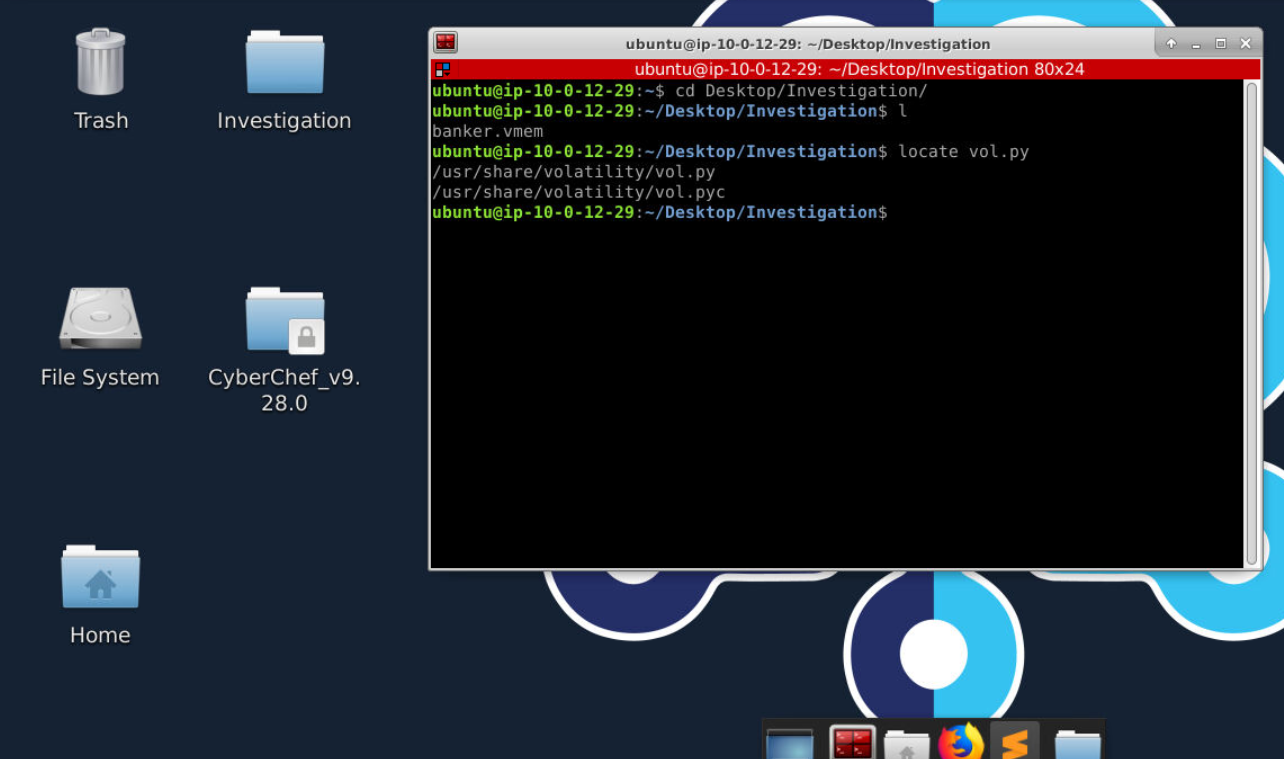
There is an investigation directory on the Desktop of investigation machine which contains a memory dump that we will use to investigate and we also have volatility located at /usr/share/volatility directory which likely to be volatility 2
Investigation
Q1) Using the imageinfo plugin, what are the two suggested profiles? (Format: Profile1, Profile2)
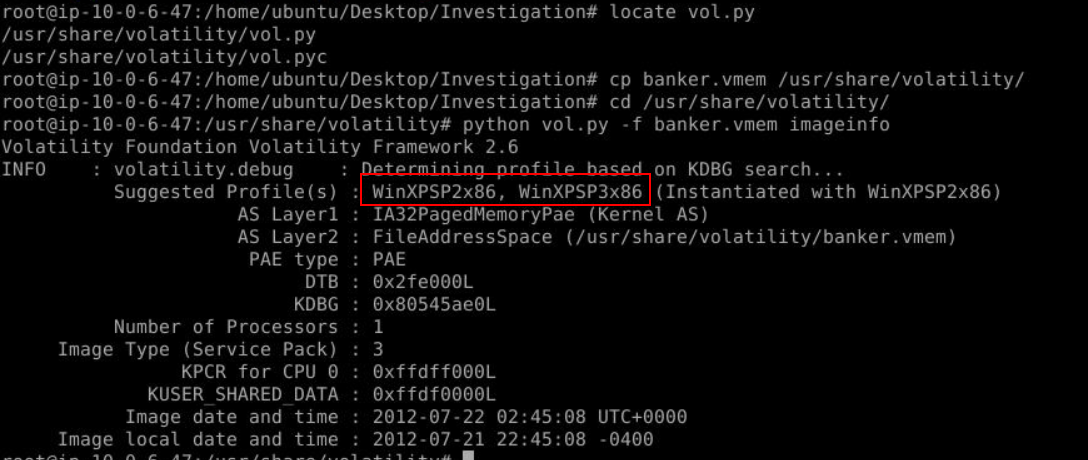
To make this investigation easier, you can add /usr/share/volatility to PATH or copy identical memory dump to /usr/share/volatility just like me and then we can easily determine suitable profile for this image with python vol.oy -f banker.vmem imageinfo
Answer
WinXPSP2x86, WinXPSP3x86Q2) What is the Image local date and time? (Format: YYYY-MM-DD HH:MM:SS -XXXX)
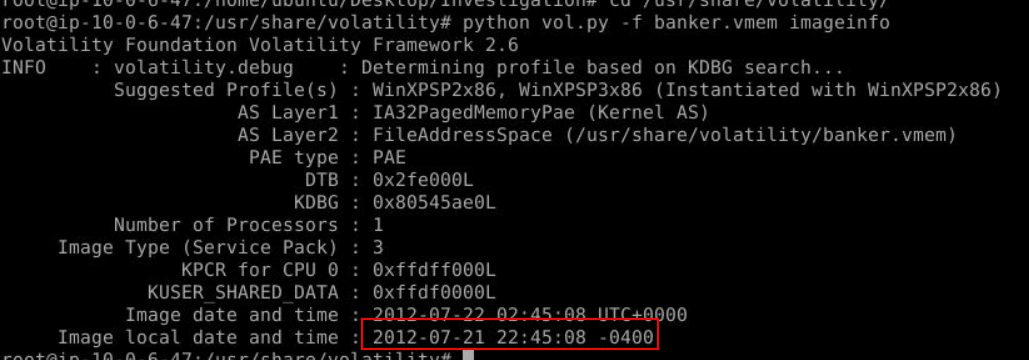
imageinfo plugin also get image local date and time for us which we can see that this image was using UTC-4 timezone but we won't have to worry about timezone here since volatility will convert every timezone its recognized to UTC+0
Answer
2012-07-21 22:45:08 -0400Q3) What is the process ID of reader_sl.exe? (Format: XXXX)
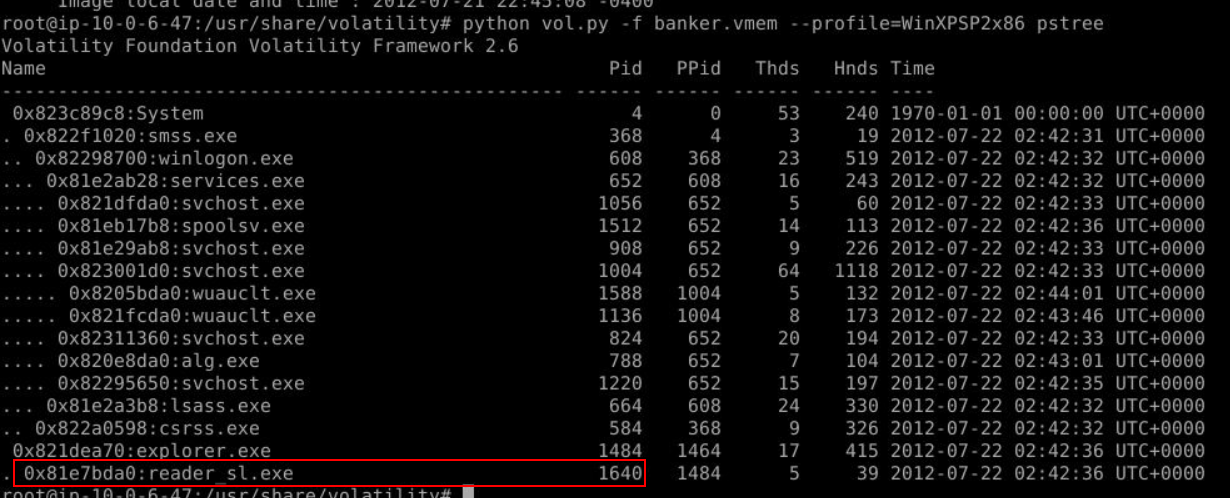
After we determined which profile to use then we can use process related plugin like pslist, psscan, psxview or pstree to list all processes that was running at the time that this memory image was taken which we can see that there is a suspicious process running as a child process of explorer.exe and based on the scenario, this process is likely to be Cridex Ransomware from phishing email that was executed by a user
Answer
1640Q4) What is the Create Time of this process? (Format: YYYY-MM-DD HH:MM:SS)
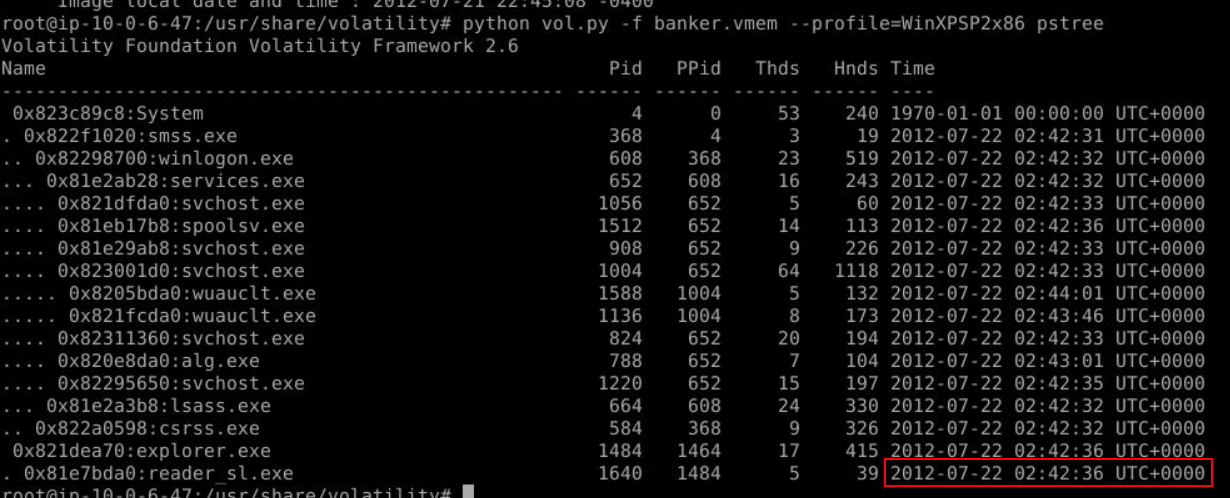
We can see the create time of this process here
Answer
2012-07-22 02:42:36Q5) What is the process ID of explorer.exe? (Format: XXXX)
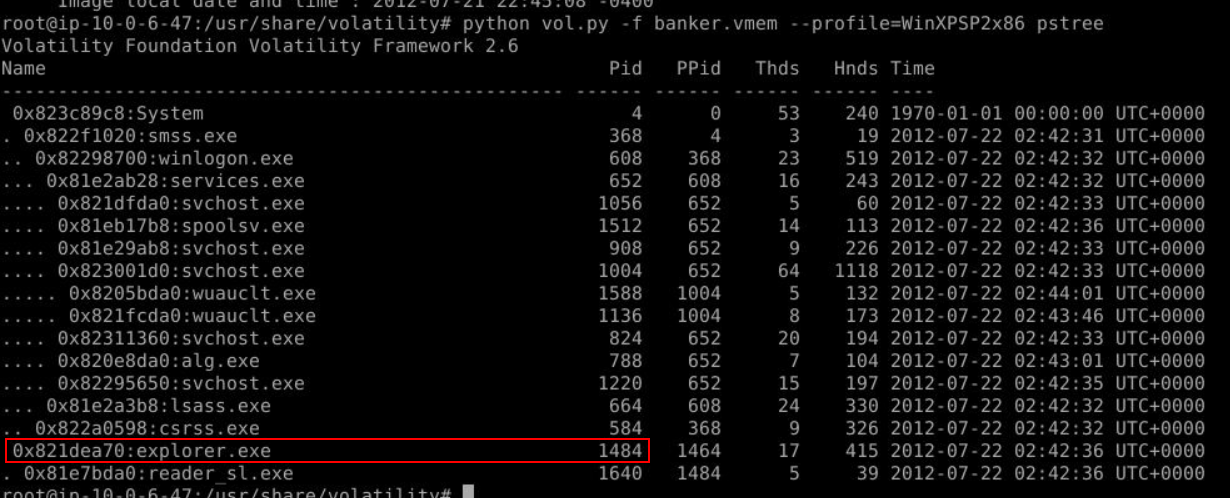
Answer
1484Q6) You want to look for any inbound and outbound connections from this dump. Note netscan will not work here. What is the first IP Address you see? (Format: X.X.X.X)

Since we could not use netscan plugin then we have to go with alternative plugin that can be used to find connections including terminated and thats plugin is connscan which we can see that there is 2 suspicious IP addresses were connected by explorer process on port 8080 (Q7)
Answer
41.168.5.140Q7) What port is being used for communication? (Format: port)
Answer
8080Q8) Looks like the explorer process was pinging out to this remote IP. Lets dig down into it further. Dump the memory for explorer.exe's child process, look for the same IP Address in the dump, lets see if we can find anything more. What is the User-Agent being used by the machine? (Format: Something/X.X)
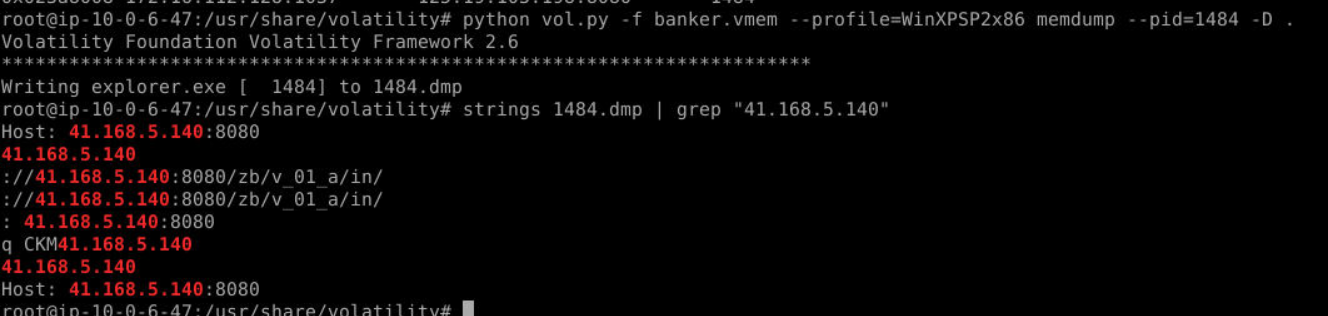
To dump a process with memory and strings (not just executable), we have to use memdump plugin like this to dump it which we can see that its attempt to connect to an IP address we found on Q6
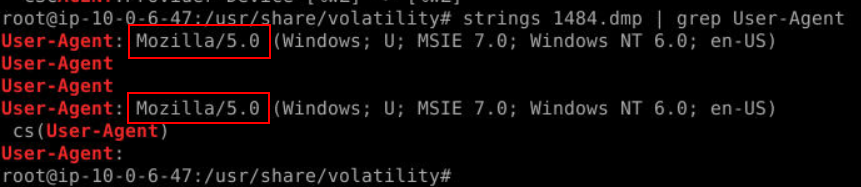
Knowing that then we can just grep for "User-Agent" to obtain the user agent utilized by explorer process like this
Answer
Mozilla/5.0Q9) Using strings on the dumped process, how many banking domains are found within URLs? (Format: X)

We can use strings 1484.dmp | grep "https://" to find any banking domain within this process then we will see 2 banking domain from chase and tdbank right here (Q10)
Answer
2Q10) What are the two domain names of the online banking portals? (Format: https://subdomain.domain.tld, https://...)
Answer
https://chaseonline.chase.com, https://onlinebanking.tdbank.com https://blueteamlabs.online/achievement/share/52929/144